[Canvas] Building a Healing “Water Dunk” Game with Grok | 用 Grok 做出一個療癒版的水上灌籃遊戲
[1 Apr 2026]
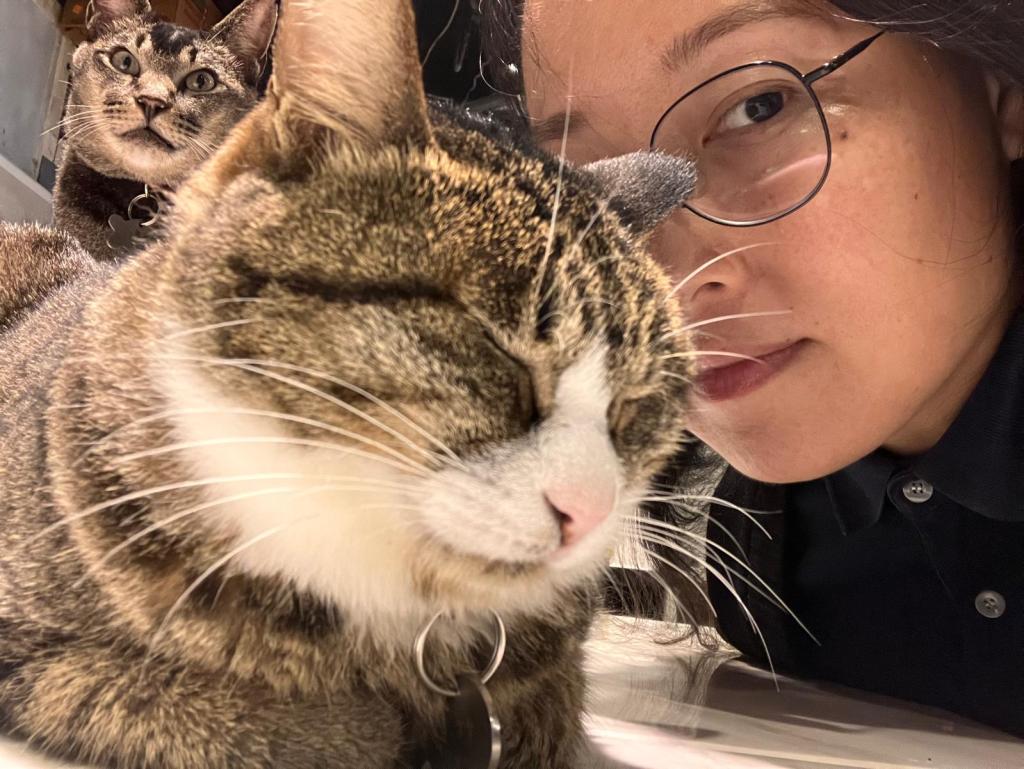
Did you know? Basketball was actually born at the YMCA. In 1891, James Naismith designed the sport at the YMCA Training School in Springfield, USA.
你知道嗎?籃球,是 YMCA 發明的。1891 年,詹姆斯·奈史密斯在美國斯普林菲爾德的基督教青年會訓練學校設計了這項運動。
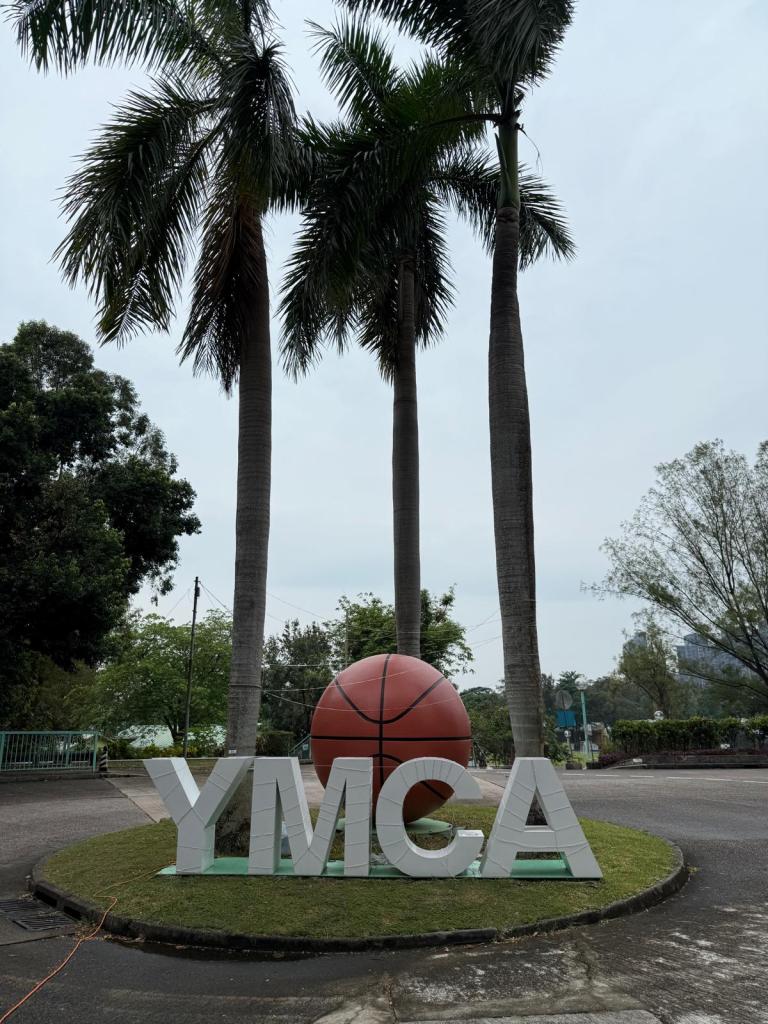
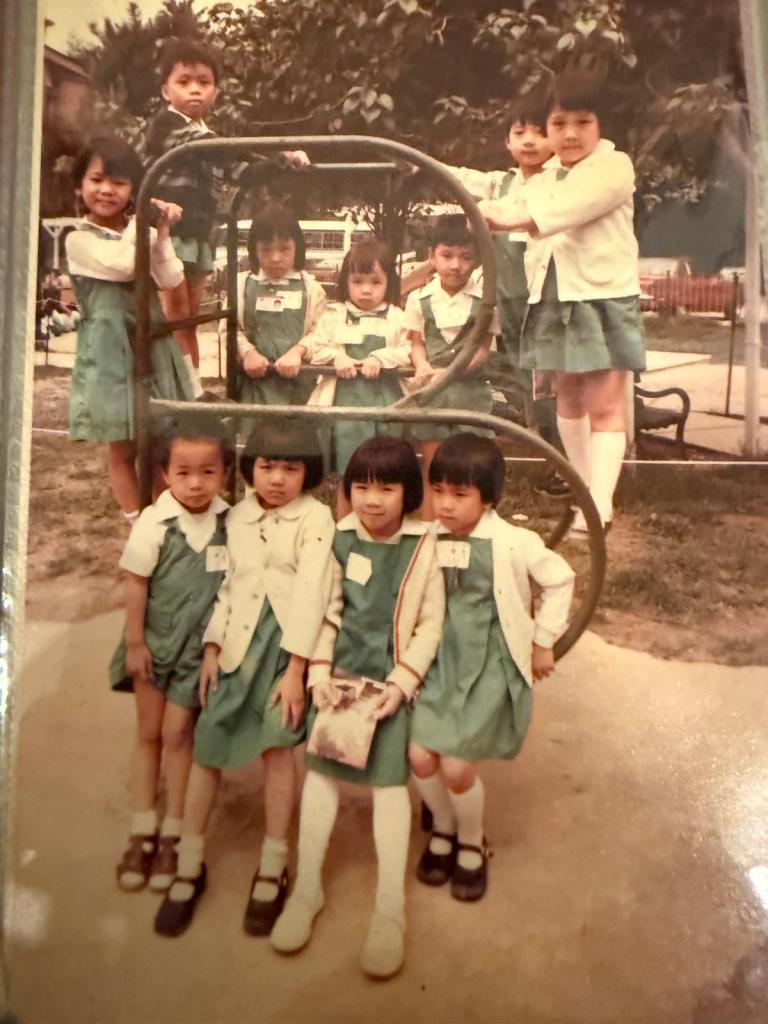
As for me, I’m an alum of the Chinese YMCA of Hong Kong Kindergarten. I still remember wearing my apple-green uniform dress, staring curiously at the basketball hoop in the assembly hall. I was too young to play back then, but the sight of that hoop always fascinated me.
而我,正是香港中華基督教青年會幼稚園的舊生,小時候穿著蘋果綠色校服裙,望著禮堂內的籃球架,因為當時太年幼未能打籃球,年幼的我對禮堂上的籃球架一直感到非常好奇。
Recently, I’ve been designing a registration system. Since I expect a flood of users signing up for limited slots, I needed a queue system to prevent server overload and overbooking. VIP users even get priority access. To make waiting less boring, I decided to add a mini-game on the queue page — something lighthearted and relaxing.
最近我在構思一個報名系統,因為預計會有大量用戶同時湧入(單一課程又有嚴格人數限制),為了避免伺服器塞爆和超額報名,我設計了一個排隊系統(VIP 用戶還能優先插隊)。當用戶在排隊的位置前了,會有箭咀的動畫表示向前了多少,同時,在排隊的頁面放出一個輕鬆的小遊戲來,讓大家輕鬆地消磨時間。
Because the ocean and water always feel healing to me, I thought: Why not create a stress-free water-themed mini-game? The idea was simple — little basketballs floating on a blue water surface, affected by gravity and drag, flying in arcs toward three baskets (represented by trash can emojis).
我覺得海洋和水有療癒的感覺,於是我決定,要做就做一個純粹休閒、零壓力的迷你遊戲,讓小小的籃球球在湛藍的水面中受重力、阻力影響,帶著弧線飛向三個高度不同的籃子(垃圾桶emoji)。
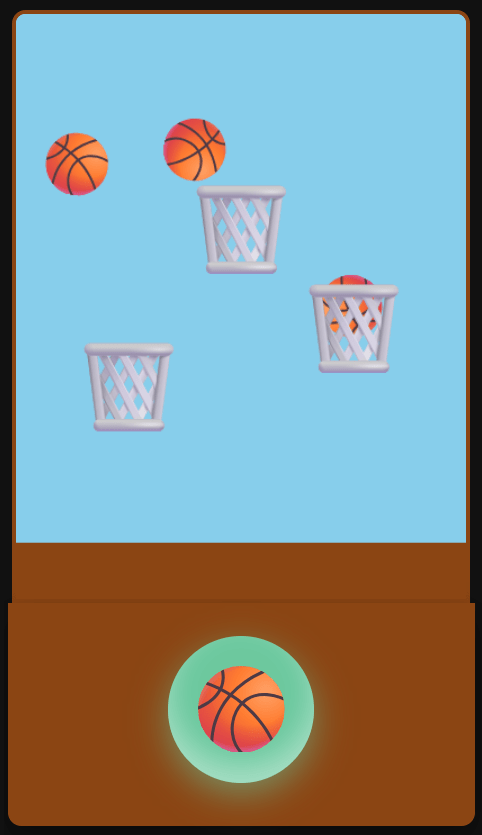
And so, the “Water Dunk” game was born — a pure front-end project.
於是就有了這個純前端實現的療癒版「水上灌籃」遊戲。
I explained my idea to Grok, and it quickly understood. Step by step, the game took shape through our dialogue.
我簡單告訴 Grok我想做的小遊戲,Grok 很快就理解了我的意思,就這樣,小遊戲從一句一句人類的對白中慢慢成型。
At first, I tried using real basketball images, but they looked awkward when rotating in water. So I asked Grok: “Can we replace them with 🏀 and 🗑️ emojis?”
原本我想用真實的籃球圖片來做球體,但測試後發現效果不太好調,籃球圖片在水中旋轉時經常凸出垃圾桶,看起來不太自然。於是我問 Grok:「可不可以改用籃球 emoji 🏀 和垃圾桶 emoji 🗑️ 來代替?」
Grok instantly switched to ctx.fillText(‘🏀’) with rotation, making the balls spin naturally without loading extra assets.
Grok 反應很快,馬上就幫我改用 `ctx.fillText(‘🏀’)` + `rotate` 的方式來繪製,讓球可以自然旋轉,而且完全不需要額外載入圖檔。
The physics took more time.
物理部分則花了比較多的時間。
I had previously tried Copilot and Poe to simulate buoyancy, but the results felt more like arrows than floating balls.
之前我曾試過用 Copilot 和 Poe 來實現水中浮力的效果,它們雖然能理解我的描述,但在實際程式碼上始終做不出那種自然的「水中手感」,未感覺到水的浮力和阻力,而感覺似射箭。
Grok wasn’t perfect at first either, but through iteration, it learned the balance between gravity, drag, and buoyancy. After several rounds of adjustments, the balls finally behaved with a satisfying “water feel.”
Grok 一開始對地球重力與水的浮力之間的平衡也不是那麼熟悉,但在我們持續的對話中,他逐步理解了差異,並提出了合理的物理公式(重力、阻力、脈衝力等)。經過幾輪調整後,球在水中的上升與下落終於感覺舒服多了。
Honestly, I didn’t expect an AI to help me this much with physics simulation. This collaboration taught me a lot and turned a simple idea into a soothing little toy.
老實說,我沒想到一個 AI 能在物理模擬上幫我到這個程度。這次經驗讓我學到很多,也讓這個小遊戲從一個簡單的想法,慢慢變成現在這個純前端的療癒玩具。
Game Demo | 遊戲示範
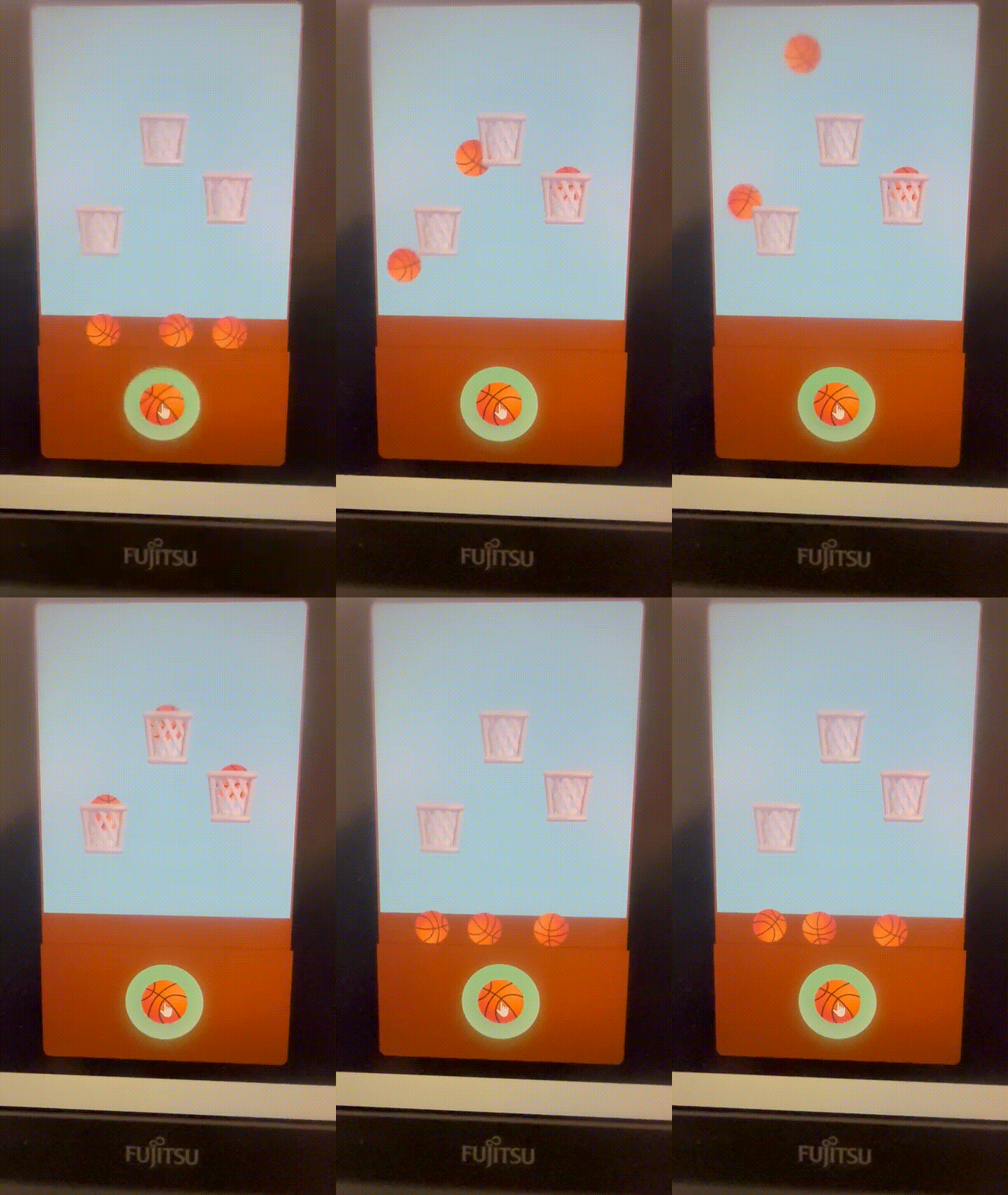
The final version looks like this:
- Top half: a clear blue water surface, with three basketballs floating and rotating.
- Bottom half: a retro toy-style wooden base, with a big round 🏀 button in the center.
經過多次調整後,「水上灌籃」最終呈現出來的樣子是這樣的,遊戲畫面分為兩個部分:
- 上半部: 是清澈湛藍的水面,三顆籃球可以在水中自然漂浮、旋轉
- 下半部: 是經典玩具風格的啡色木頭底座,中央放著一個大大的圓形 🏀 按鈕
The highlight is the buoyancy feel. When you press the 🏀 button, the ball doesn’t shoot straight up. Instead, it gets a gentle upward push. Press again quickly, and the ball stacks another layer of force, rising step by step. That layered “push” is surprisingly therapeutic.
這個遊戲最特別、也是我個人最喜歡的地方,就是水中浮力的手感。當你按下 🏀 按鈕時,球不會一下子就衝到頂,而是會先被明顯地向上推一把。如果你快速連續點擊第二下、第三下,球就會像被一層一層的力道「沖」上去 —— 那種一按、再按、慢慢把球推向高處的感覺,非常有層次,也特別療癒。
The goal is to throw the ball into three floating 🗑️ with different heights, fill 3 🗑️, and it will reset after a while.
目標是把球投進三個高度不同的漂浮 🗑️ 裡,填滿3個🗑️,稍等一會便會重置。
To keep it pure fun, I hide the score display entirely—no pressure, just easy, continuous casting, and the enjoyment of floating in the water.
為了保持純粹的樂趣,我把計分顯示完全隱藏,只留下最後的 Bonus 提示。沒有壓力,只有輕鬆的連續拋投與水中漂浮的享受。
Final features:
- Unified buoyancy system with layered upward pushes
- Retro toy-style base + big round 🏀 button
- The entire game runs from a single .htm file
目前最終版的特點:
- 統一的水中浮力系統,特別強調連續按壓的「層層向上衝」手感
- 大圓形 🏀 按鈕 + 經典玩具底座,視覺上更有復古水上遊戲的味道
- 整個遊戲只有一個 `.htm` 檔案,打開即可遊玩
Core Code | 核心程式碼
update(pulseForce) { if (this.isScored) return; // Gravity (light water buoyancy) this.vy += 0.165; // Pulse force (key to the layered push feeling) if (pulseForce > 0) { const distFactor = 1 - Math.hypot(this.x - WIDTH/2, this.y - HEIGHT/2) / 450; const push = pulseForce * Math.max(0.3, distFactor) * 2.2; this.vy -= push; this.vx += (Math.random() - 0.5) * push * 0.95; } // Unified water resistance across the entire canvas this.vx *= 0.982; this.vy *= 0.975; // Light random water turbulence if (Math.random() < 0.25) { this.vx += (Math.random() - 0.5) * 0.06; } this.x += this.vx; this.y += this.vy; this.angle += this.angularSpeed; // Boundary handling if (this.x < this.radius || this.x > WIDTH - this.radius) { this.vx *= -0.72; this.x = Math.max(this.radius, Math.min(WIDTH - this.radius, this.x)); } if (this.y < 60) { this.y = 60; this.vy = Math.max(this.vy, -1.4); } // Gentle bottom deceleration (prevents sticky feeling) if (this.y > HEIGHT - 32) { this.y = HEIGHT - 32; this.vy *= 0.45; this.vx *= 0.88; if (Math.abs(this.vy) < 0.08) this.vy = 0; }}
Technical Core: Unified Buoyancy
The hardest part was simulating buoyancy. Grok didn’t just apply formulas unthinkingly — it adjusted parameters based on my descriptions of “feel.”
Key parameters:
- Gravity: 0.165 → prevents balls from falling too fast
- Upward drag: 0.975 → allows momentum stacking with repeated presses
- Boundary handling → keeps balls inside the water surface
This balance creates the natural “press once, press again, push higher” sensation.
為什麼這個手感特別舒服?
- 重力設為 `0.165`,讓球不會下墜太快
- 上升阻力 `0.975`,讓連續按壓能有效累積向上動能
- 上限邊界處理,讓球不會輕易被推出畫面
這些參數的平衡,讓「按一下、再按一下,把球慢慢推高」的體驗變得非常自然且有層次。
Challenges & Solutions | 開發過程中的挑戰與解決方案
1. Balls passing through the bin’s bottom | 球從籃底飛過的問題
At first, balls slipped through the bottom of the basket, with almost no sense of scoring. I reported this issue to Grok, describing how the ball easily passed through the rim, and suggested using the ball’s bottom position as the basis for scoring detection. Grok quickly understood the problem and proposed a key solution.
最初,球經常從籃底部直接飛過去,又或是幾乎沒有「進球」的感覺。 我把這個情況反饋給 Grok,描述了「球很容易穿過籃底」的現象,我也建議了改用球的底部位置作為進球判定的基準。Grok 很快理解了問題所在,並提出了關鍵的解決思路。
2. Sticky feeling at the bottom
Early versions felt like the balls entered a thick layer of liquid near the bottom. I wanted one unified water feel. Grok iterated gravity and drag until the whole screen behaved consistently, with only gentle slowdown at the bottom.
早期版本中,球掉到下方區域後會突然變得很慢、很黏,像掉進了另一種濃稠的液體。 我多次向 Grok 描述這種違和感,並強調「希望整個畫面只有一種統一的水中浮力」。Grok 在連續幾輪對話中,不斷調整重力、阻力係數和底部減速邏輯,最終找到了目前這個平衡點。
Lessons from Collaborating with Grok | 與 Grok 協作的心得
The best part wasn’t perfect code, but Grok’s ability to interpret vague descriptions and turn them into formulas. When I said “the ball feels weird,” it asked the right questions and adjusted parameters until the feel was natural.
這次從零開始做這個小遊戲,讓我對與 AI 協作開發有了更深的體會。
Grok 最強的地方不是寫出完美的程式碼,而是在於它能快速理解我的模糊描述,並把這些描述轉化成實際可調整的技術方案。無論是「球不要從垃圾桶底下飛過去」、「想要連續按壓一層一層沖上去的感覺」,還是「整個畫面要只有一種統一的水中浮力」,它都能在幾輪對話中抓住核心問題,並提出具體的公式和改動方向。
This iterative process — human intuition plus AI adjustment — was far more fun than just letting AI code everything. It reminded me that good collaboration means humans and AI complementing each other.
我特別喜歡的是它的迭代能力。很多時候我只能說出「這裡感覺怪怪的」,它卻能問出關鍵問題,然後一步步幫我把物理參數調到舒服的位置。這種「一起思考、一起調整」的過程,比單純讓 AI 寫程式碼有趣得多。
當然,AI 仍然不是萬能的。有些細微的手感還是需要我自己實際玩過後再反饋,它才能越來越接近我想像的感覺。這也讓我明白:好的協作是人與 AI 互相補足的過程,而不是把所有工作都丟給 AI。
Conclusion | 總結
From an idea to a single-file HTML game, the journey was full of tweaks but deeply rewarding.
從一個想法,到現在這個只有單一 HTML 檔案就能運行的療癒版水上灌籃遊戲,整個過程雖然經歷了不少調整,但結果讓我相當滿意。
No fancy engine, no heavy assets — just buoyant basketballs, a big round button, and a retro toy vibe. Most importantly, it achieved my goal: giving people something fun and soothing to play while waiting in line.
這個小遊戲沒有複雜的遊戲引擎,沒有華麗的圖片資源,卻有著我喜歡的輕鬆浮力手感、大圓形 🏀 按鈕,以及經典玩具般的視覺風格。最重要的是,它成功達到了最初的目的 —— 在排隊等待時,能讓人拿出手機輕鬆玩幾把,消磨無聊的時間。
If you want to practice Canvas physics, experiment with AI collaboration, or build a relaxing toy, feel free to try this project.
如果你也想練習 Canvas 物理、想試試與 AI 一起開發小遊戲,或單純想做一個療癒的小玩具,歡迎下載這個專案自己玩玩、改改看。
Maybe next time, we’ll add sound effects, more levels, or even a mobile PWA version. Thanks for reading — and I’d love to hear your ideas!
也許下一個 mini-game,我們可以一起加入音效、更多關卡,或是做成手機 PWA 版本?
感謝你讀到這裡。如果你有任何想法或改進建議,歡迎在留言區告訴我!
 Annie’s Journey with free AI | Annie 與 免費AI 的日常